 MIDI Genie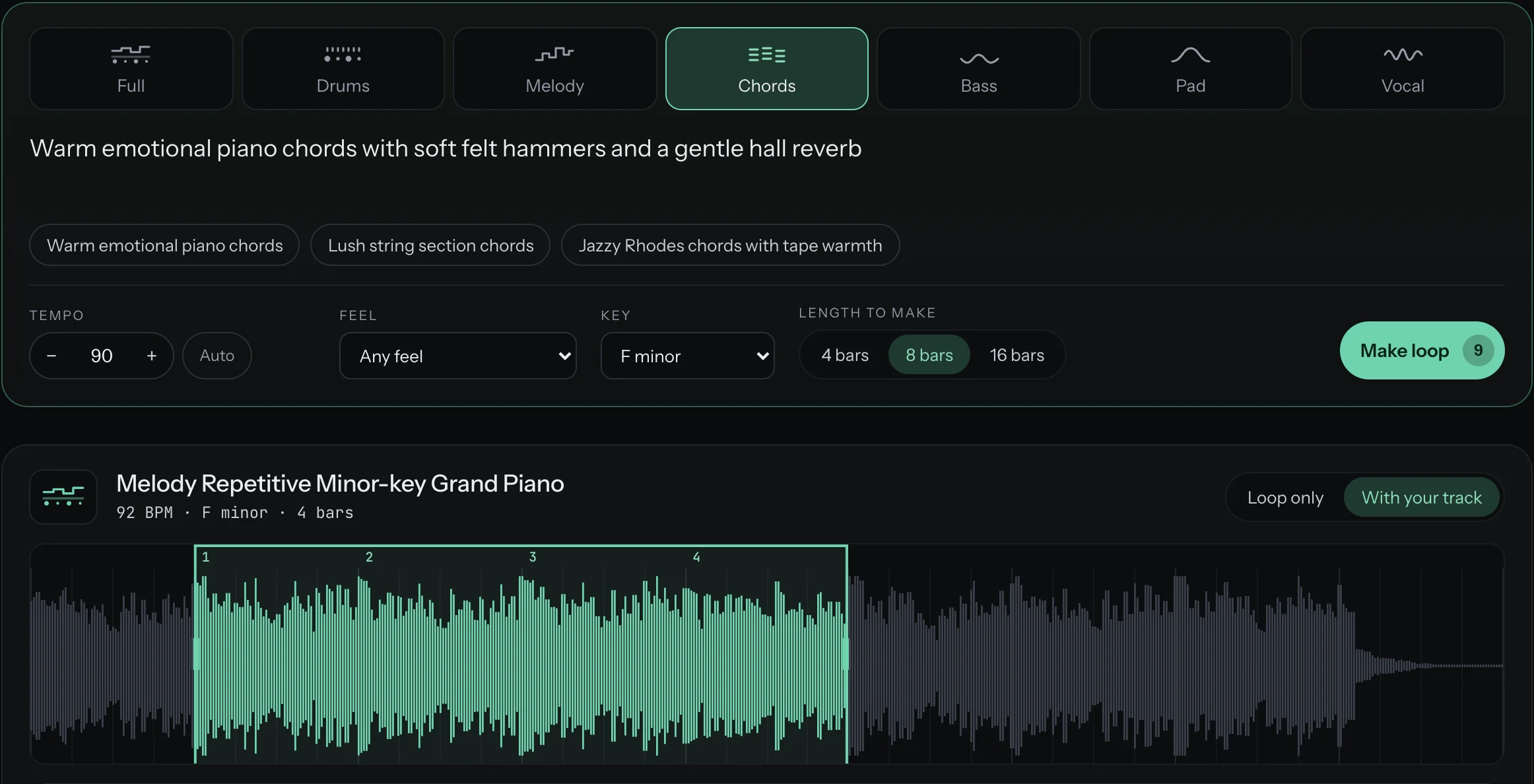
Describe it
Pick a kind of loop and say what you want in plain words. Set the tempo, the key and how many bars to make.
lonely cinematic flute, a few long notes, lots of space
New · AI loop generator
Describe the loop you hear in your head, or drop in the beat you're working on. MIDI Genie listens, tells you what it's missing, makes the loop at your tempo, and plays it with your track in step, so you hear it fit before you download a thing.
25 free credits when you sign up, enough for about 5 loops · No card needed
How it works
Pick a kind of loop and say what you want in plain words. Set the tempo, the key and how many bars to make.
Studio-quality audio at the tempo you set, already cut to whole bars on the downbeat and playing on repeat.
Drag across the clip to keep the bars you like, then download exactly those bars as a WAV for any DAW.
It listens to your track
Upload an MP3 or WAV, or use one of your own loops. MIDI Genie measures its tempo, key and feel straight away, then listens like a producer: the structure, every part, the groove, the chords, and what it's missing. Then it suggests loops that fill those gaps.
Listening to the whole track…Listened
Hear it in your beat
Every loop made for your track plays with it: the same downbeat, the tempo matched, your track on top and the loop underneath. Pick the bar it comes in on, set each volume, nudge it a beat. You know it fits before you download anything.
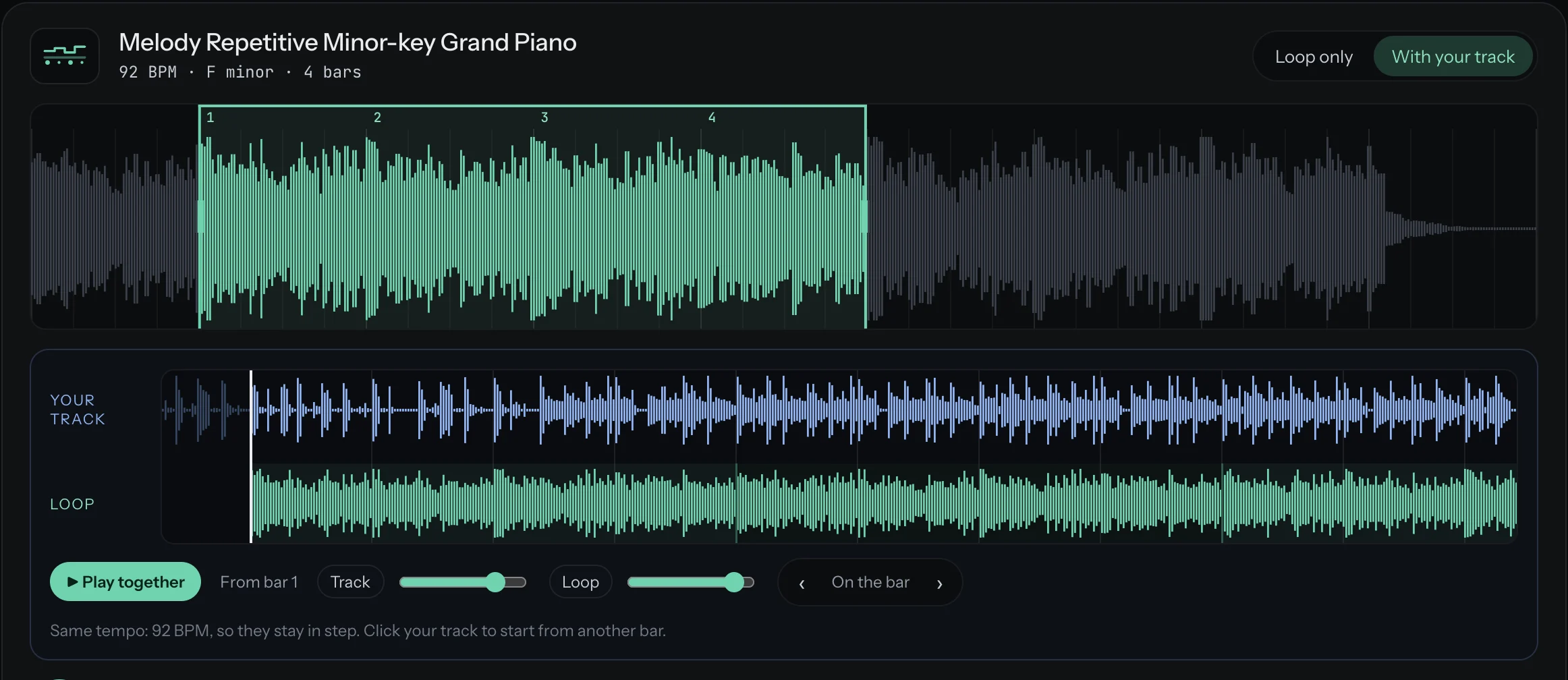
Same notes as your track, bar by bar.
The loop sounds in G, your track in D minor. One click makes another.
After every loop made for your track, MIDI Genie checks the fit for you, free: the key, and the notes in each bar against your track. If something rubs, you hear about it before you download, not after.
The details that matter
Set the BPM and the loop is made at it, so it lines up in your DAW without stretching.
Every loop is cut on the downbeat, with no click where it repeats. 4, 8 or 16 bars to choose from.
Drag across the clip to choose any run of bars, or play the whole clip and pick by ear.
Every loop is instrumental unless you choose vocal chants, and those are always wordless: oohs, aahs and chants used like an instrument. It never sings words, even if you paste them in.
44.1 kHz stereo, exactly the bars you selected. Or download the full clip and chop it yourself.
Search, filter and star your loops, and use any of them as the reference for the next one.
Pricing
Every plan gives you a fresh batch of credits each month. A beat costs 2 credits, and the button always shows the exact number before you press it.
Try it today
$0
25 credits, once · up to 12 beats
Start freeTo try it properly
$7/ month
120 credits a month · up to 60 beats
Choose StarterBrowser and DAW
$12/ month
250 credits a month · up to 125 beats
Choose CreatorFor daily sessions
$29/ month
750 credits a month · up to 375 beats
Choose ProPrefer to own it?
A one-time licence for the plugin and standalone app, with a year of updates. Instead of credits, you connect your own provider key and pay that provider directly for what you use. How it works
Secure checkout by Polar · Terms · Refunds · Prices in US dollars
Questions
Drums and percussion, bass lines, chords, melodies, pads and textures, wordless vocal chants, or a full loop with several parts together. Describe the sound and the mood in plain words, and set the tempo, key and length.
No. Vocal loops are wordless chants, like oohs, aahs and "hey", used like an instrument in your beat. They never sing words, and a description with lyrics in it is turned away before any credits are used.
No. MIDI Genie makes loops of 4, 8 or 16 bars, the building blocks you arrange into your own beat. It doesn't make full songs.
Yes. You set the BPM and the loop is made at it, then cut to whole bars on the downbeat. When you play it with your own track, MIDI Genie lines up the downbeats and matches any small tempo difference, so the two stay in step.
That's what it's made for. Your track's key and chords go into every loop made for it, so the loop is written to sit in your key from the first note. Then a free fit check compares the two bar by bar, and you can hear the loop playing in your beat before you download it.
Yes. Upload an MP3 or WAV up to 10 MB, or use one of your own loops. Its tempo, key and feel are measured straight away, and you can have it listened to for a full breakdown and loop ideas. Only upload audio you made or have full permission to use; you confirm that before every upload.
Yes. Your uploads and loops stay private to your account, and you can delete them at any time. When you ask for a breakdown, the track is sent to our listening model to analyse it.
No. Loops are in the web app, nothing to install. Download the WAV and drag it into any DAW.
That's coming next, along with splitting a loop into its separate parts. Until then, every loop downloads as a full-quality WAV.
Describe it, hear it in your beat, drop it in.
25 free credits · No card needed